Fit a VR38, drag slicks and E85 to build a faster drag Kartal. Start in the garage with the Kartal, then match its engine parts, drivetrain, suspension and tire dimensions before testing it. This cpm 2 tuning setup is a specific drag build for Car Parking Multiplayer 2; treat its settings as a Kartal recipe rather than a promise for every car.
How do you make a car faster in CPM 2?
For this Kartal, install the VR38 and match the supporting engine upgrades before moving on to the drivetrain and traction settings.
The player behind the build reports testing different engines and tuning combinations on this car and choosing the VR38 for drag racing. If you need funds before buying parts, start with cpm 2 how to make money.
Match the block parts
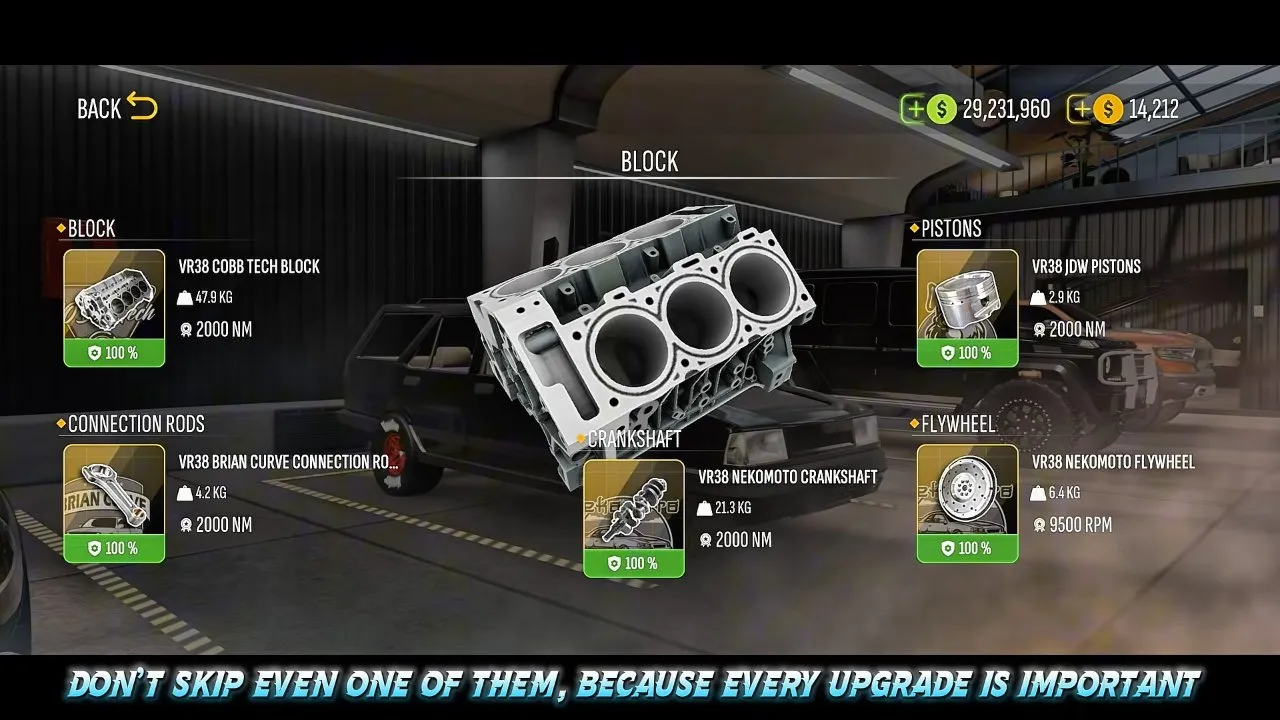
After the engine swap, open the block parts and match these names. The screenshot shows the fitted parts together, each with a green 100% condition indicator.
| Slot | Part shown |
|---|---|
| Block | VR38 Cobb Tech Block |
| Pistons | VR38 JDW Pistons |
| Connection rods | VR38 Brian Curve connection rods |
| Crankshaft | VR38 Nekomoto Crankshaft |
| Flywheel | VR38 Nekomoto Flywheel |
Check each slot rather than stopping after the block. The player specifically warns against skipping engine upgrades when copying this build.
Match the cylinder head parts
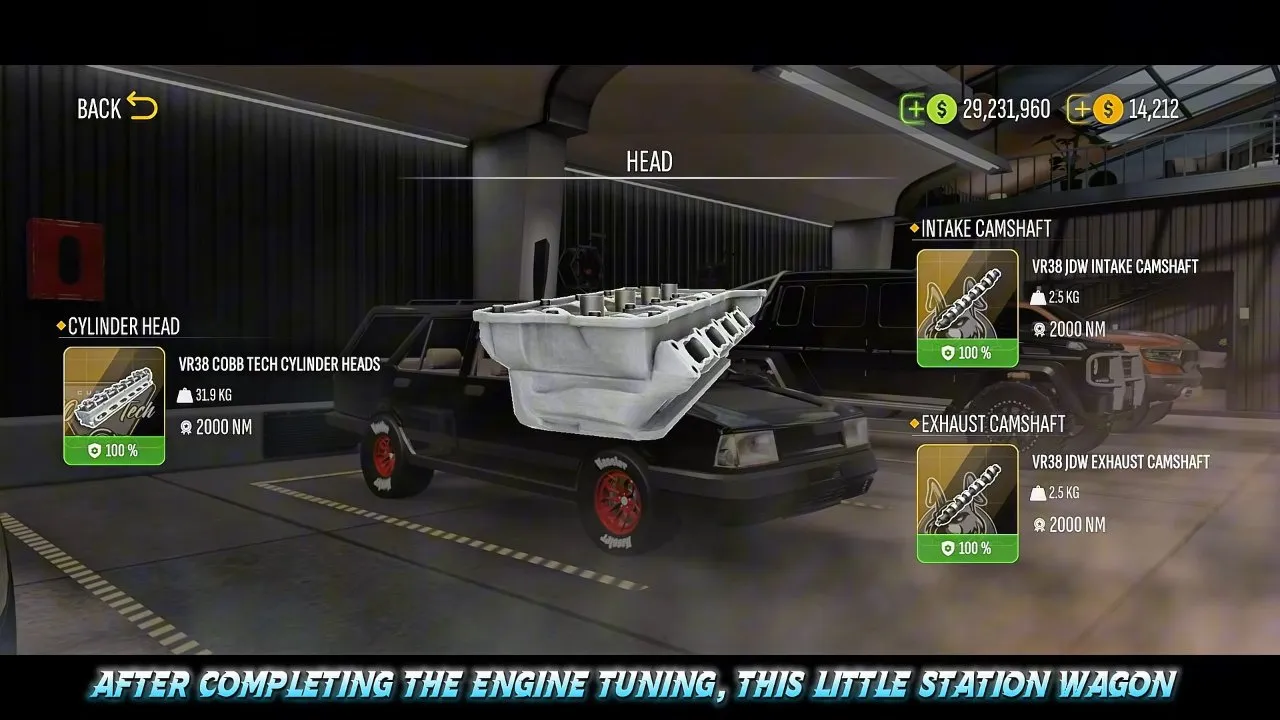
Fit VR38 Cobb Tech Cylinder Heads, VR38 JDW Intake Camshaft and VR38 JDW Exhaust Camshaft. Confirm all three names on the Head screen. The pictured setup shows 100% condition on each part.
Install the twin turbochargers
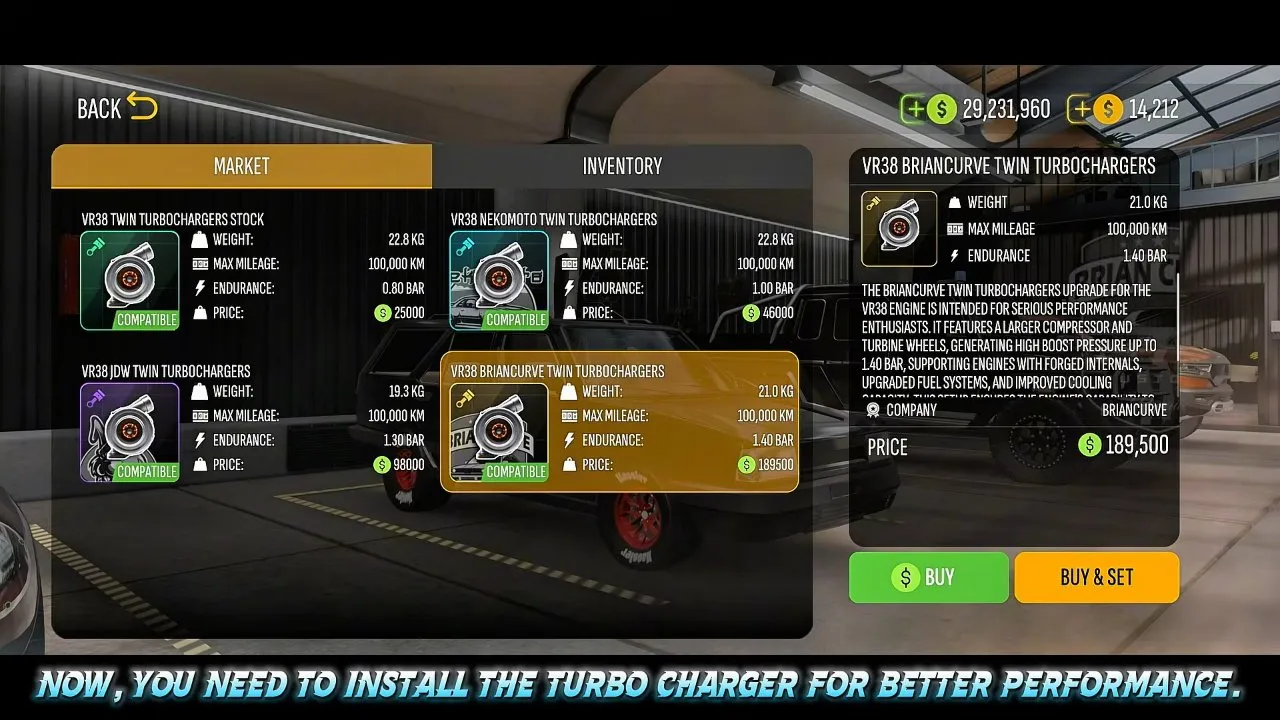
Select VR38 Briancurve Twin Turbochargers in the market and choose Buy & Set to fit them. Check the selected name and the green Compatible label first. Buying a part and fitting it are separate actions on this screen, so pick the button that does both.
The selected turbo's information panel lists 1.40 bar endurance. Keep that in mind when you reach the boost controller: the higher dyno setting below produces a wear warning.
What car settings should you use in CPM 2?
Use the CIMA 7 gearbox, VR38 Forgespeed clutch and LSD 2 WAY for this drag Kartal, leaving gearbox and differential settings at standard.
CIMA 7: recommended for matching this build
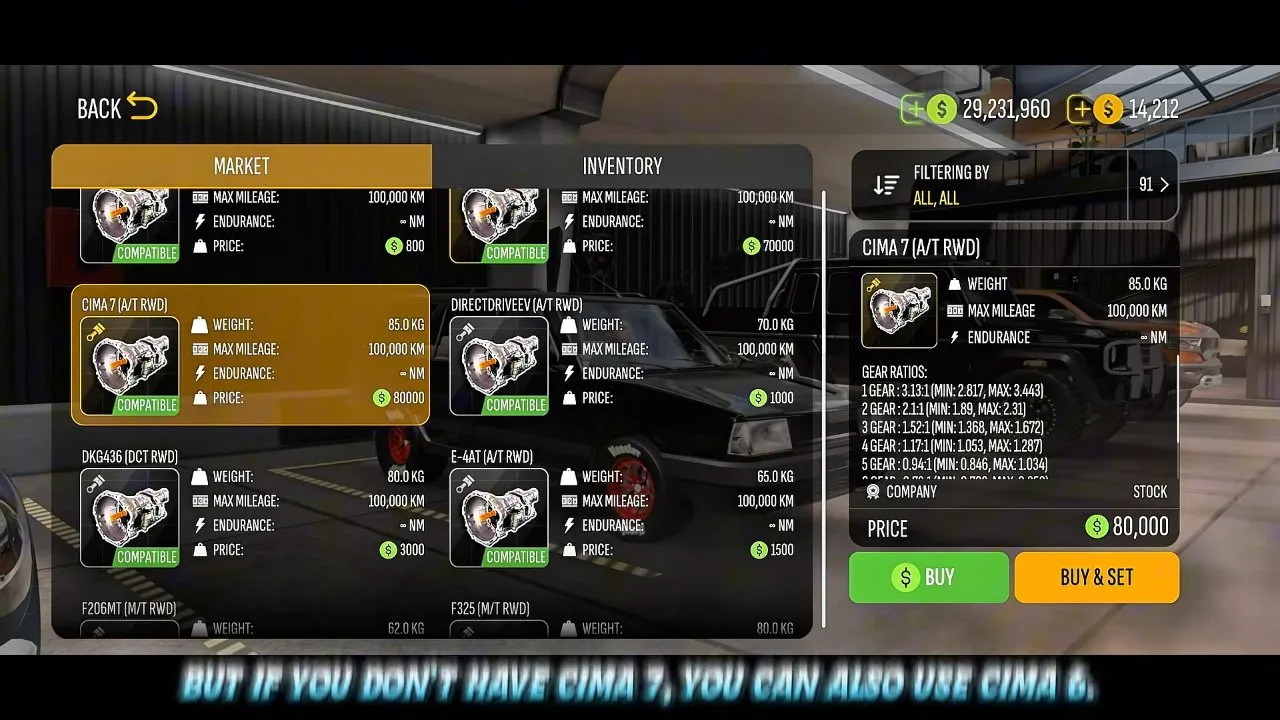
Select CIMA 7 (A/T RWD) and fit it with Buy & Set. That exact name appears on both the highlighted item and the right-hand panel. Leave its configuration standard; copying this setup does not require manually changing gear ratios.
CIMA 6: the player's fallback
If you do not have CIMA 7, the player suggests CIMA 6. The caption on the gearbox screenshot gives that alternative. Choose CIMA 7 when your goal is to reproduce the shown setup; the fallback is a different gearbox choice, so do not assume an identical race time.
Stage-three clutch
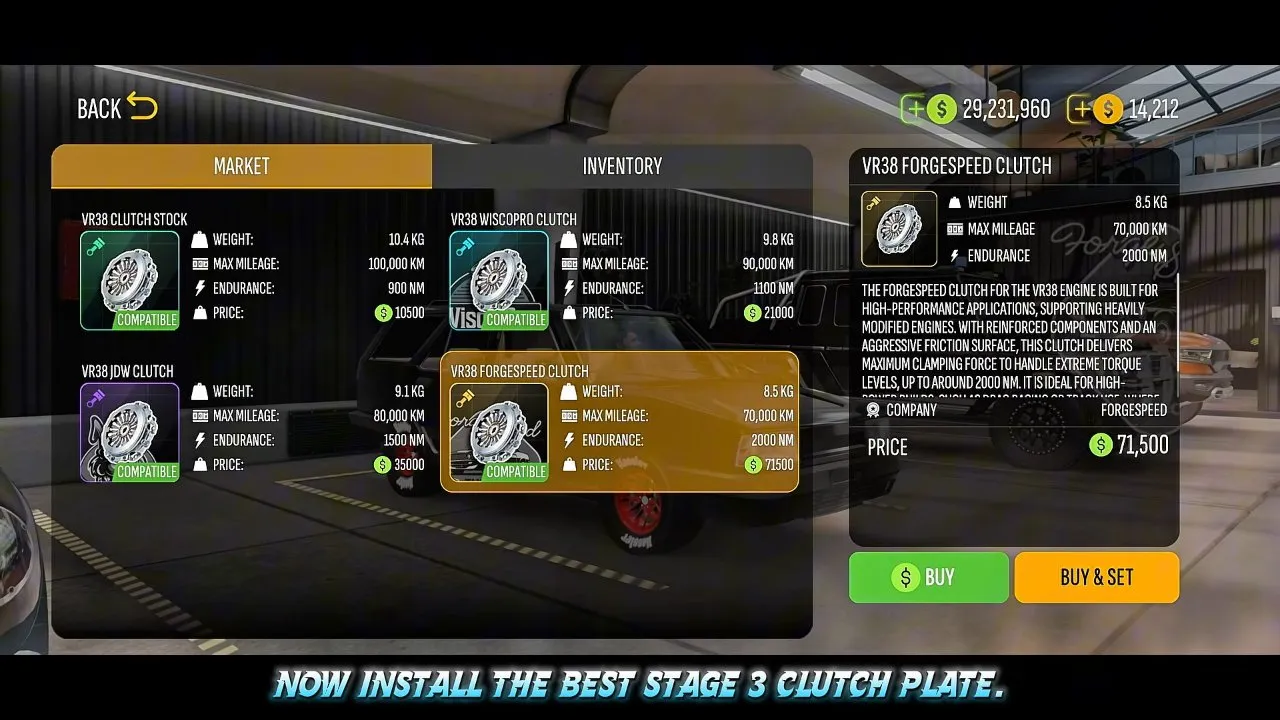
Fit VR38 Forgespeed Clutch, the part selected while the caption calls for a stage-three clutch plate. Confirm the name in the right-hand panel before choosing Buy & Set.
Two-way differential
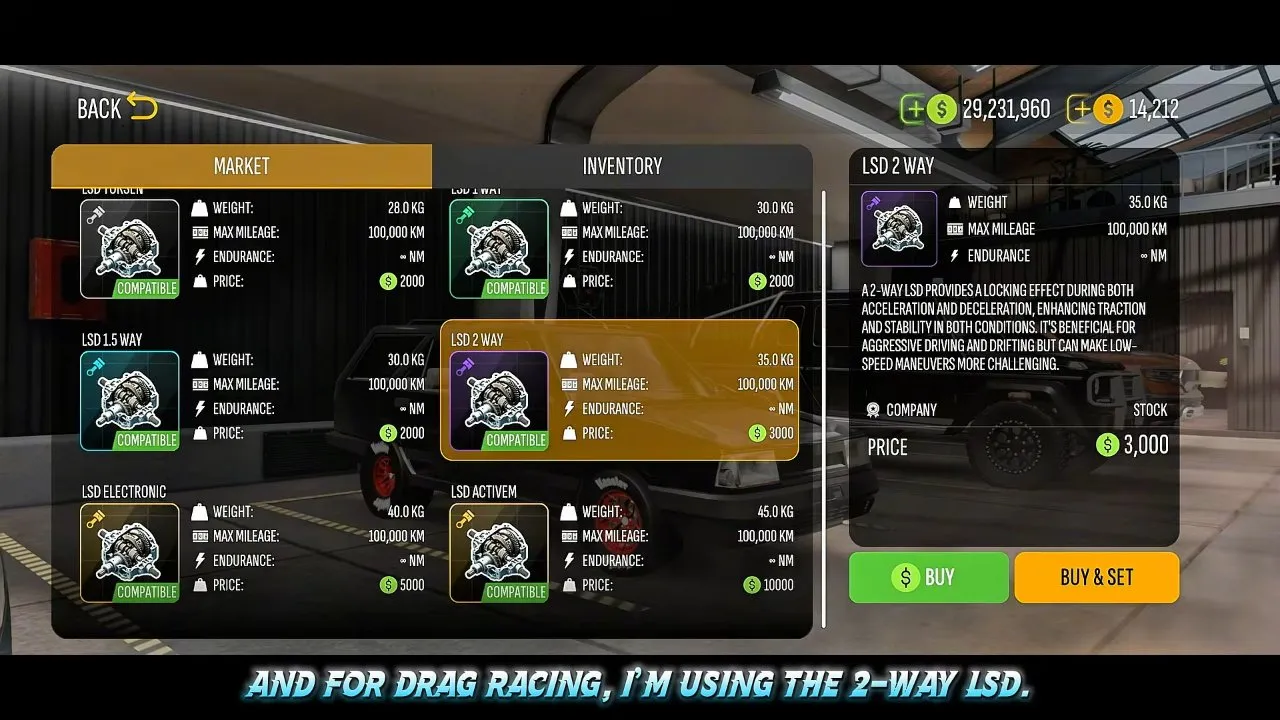
Fit LSD 2 WAY, then leave its settings standard. Its description says it locks during both acceleration and deceleration, enhancing traction and stability, while making low-speed maneuvers more challenging. This is a drag-focused choice with a handling tradeoff.
What suspension settings should you use in CPM 2?
Match the Kartal's spring and shock settings shown below, then save the changes before testing your launch.
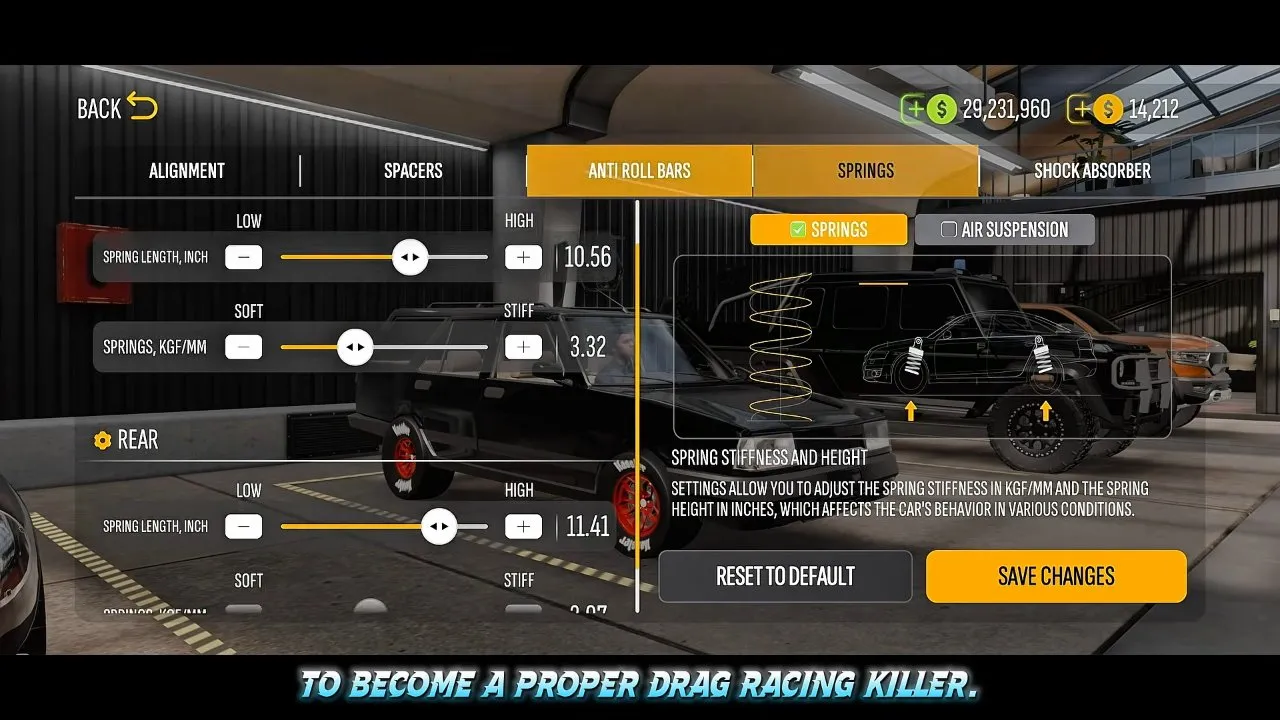
The Springs screen has Springs selected rather than Air Suspension. Set the clearly visible values as follows:
| Spring control | Value shown |
|---|---|
| Front spring length | 10.56 inches |
| Front spring stiffness | 3.32 kgf/mm |
| Rear spring length | 11.41 inches |
The player explains that this light station wagon needs rigidity for launch stability. Use the embedded video's suspension section around 2:55 to follow the rest of the spring controls, and keep front and rear entries separate.
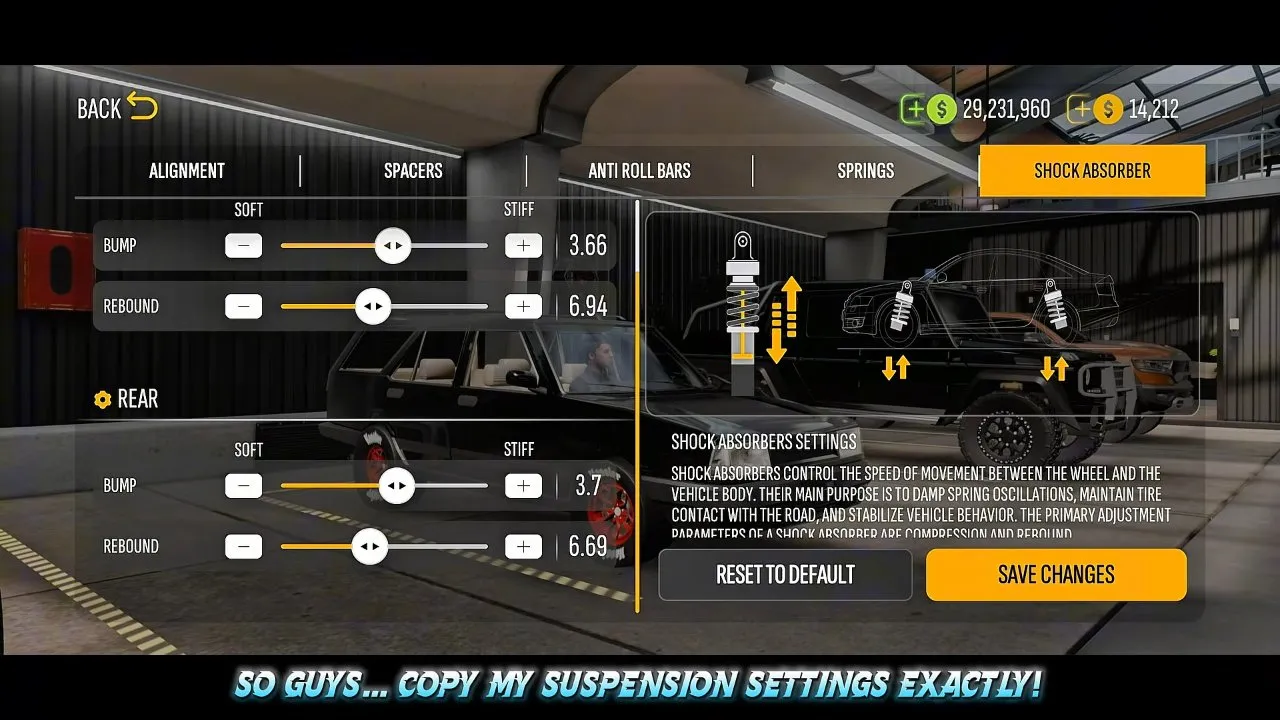
| Shock control | Front | Rear |
|---|---|---|
| Bump | 3.66 | 3.7 |
| Rebound | 6.94 | 6.69 |
At first these sliders look like another stiffness adjustment. The on-screen explanation says shock absorbers control movement between the wheel and body, damp spring oscillations and help maintain tire contact. Match each labeled value instead of pushing every slider toward Stiff.
Press Save Changes, then return to the controls and check that the displayed numbers match your entries.
How do you change tires in CPM 2?
Open Rims, choose Drag Slick for each axle and set the front and rear dimensions separately for this Kartal.
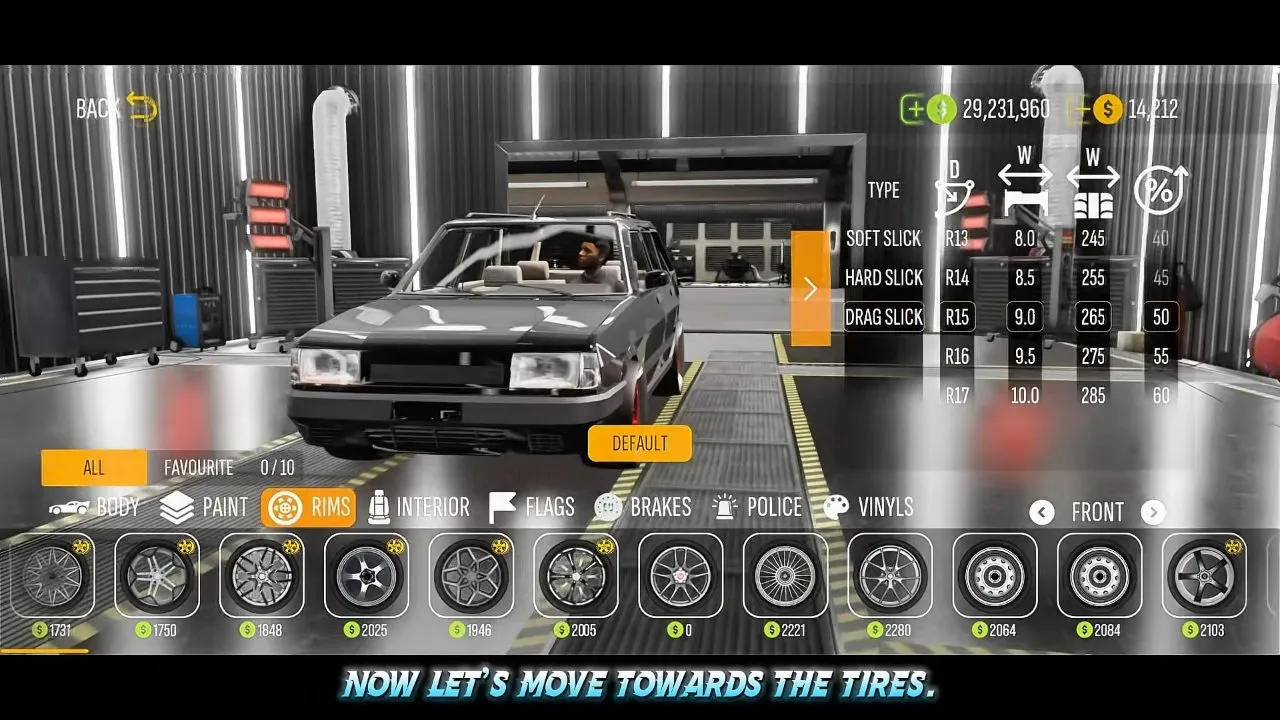
- Select Rims in the customization screen.
- With Front selected, choose Drag Slick.
- Set the highlighted dimensions to R15, 9.0 rim width, 265 tire width and 50 profile.
- Check that the axle label still reads Front and those entries are highlighted.
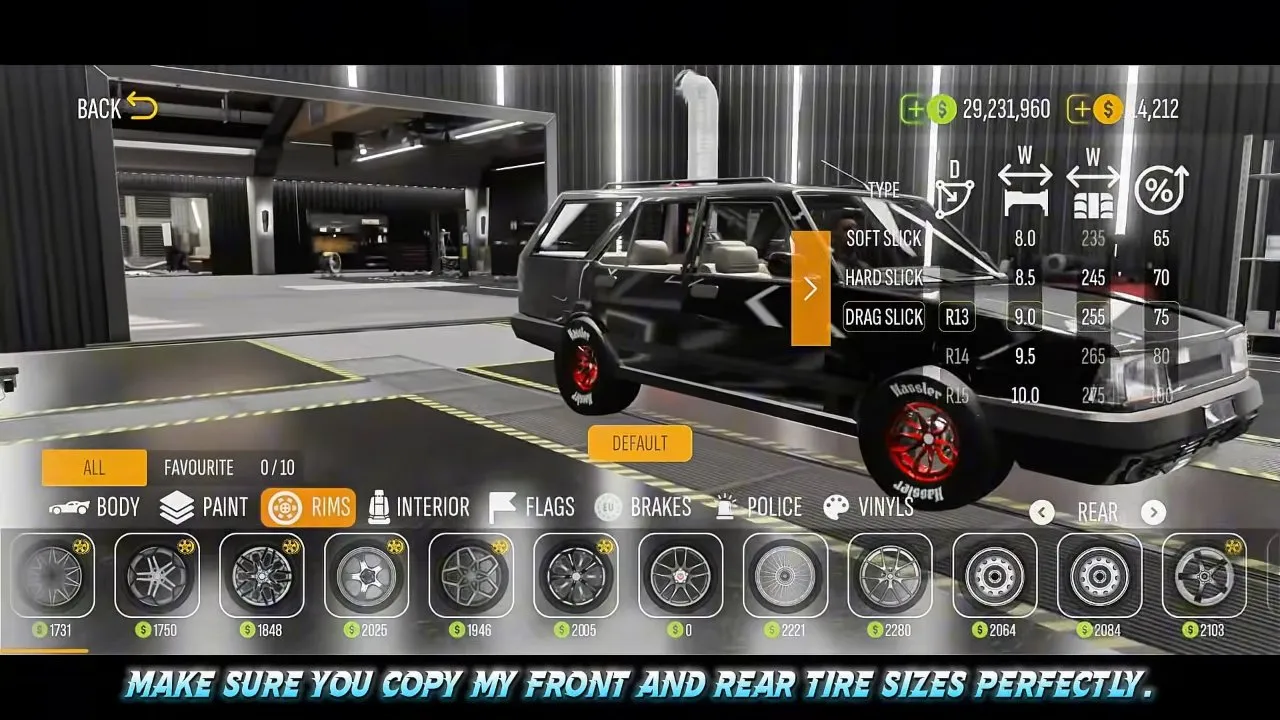
Switch the axle selector to Rear and use these values:
| Tire setting | Front | Rear |
|---|---|---|
| Type | Drag Slick | Drag Slick |
| Rim diameter | R15 | R13 |
| Rim width | 9.0 | 9.0 |
| Tire width | 265 | 255 |
| Profile | 50 | 75 |
Confirm the rear highlights against the second screenshot. The dimensions differ between axles, so copying the front settings onto both ends would change the recipe.
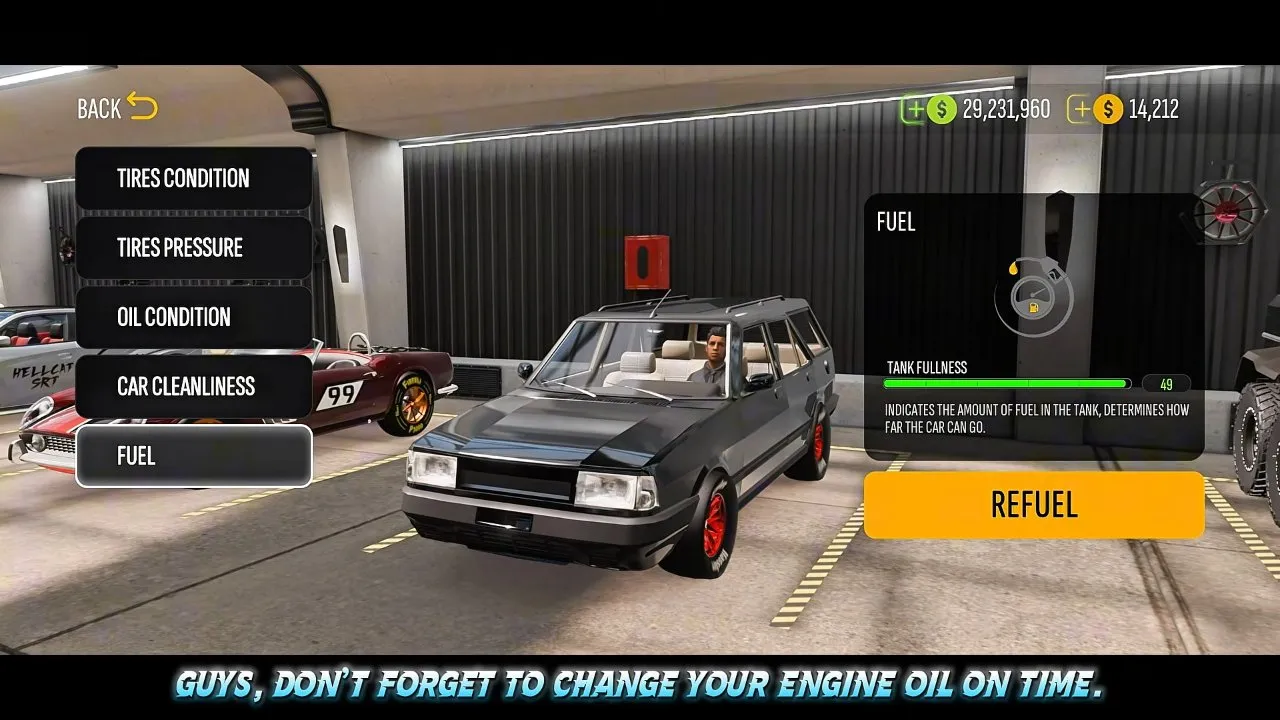
Before racing, check Tires Condition and use brand-new tires. Leave Tires Pressure at default, as the player does. Check Oil Condition too and change the engine oil on time. These maintenance checks belong alongside the parts list, not after your first worn-tire run.
What is the best fuel in CPM 2 for this drag build?
Choose E85 for this VR38 Kartal drag setup, as the player recommends for the demonstrated build.
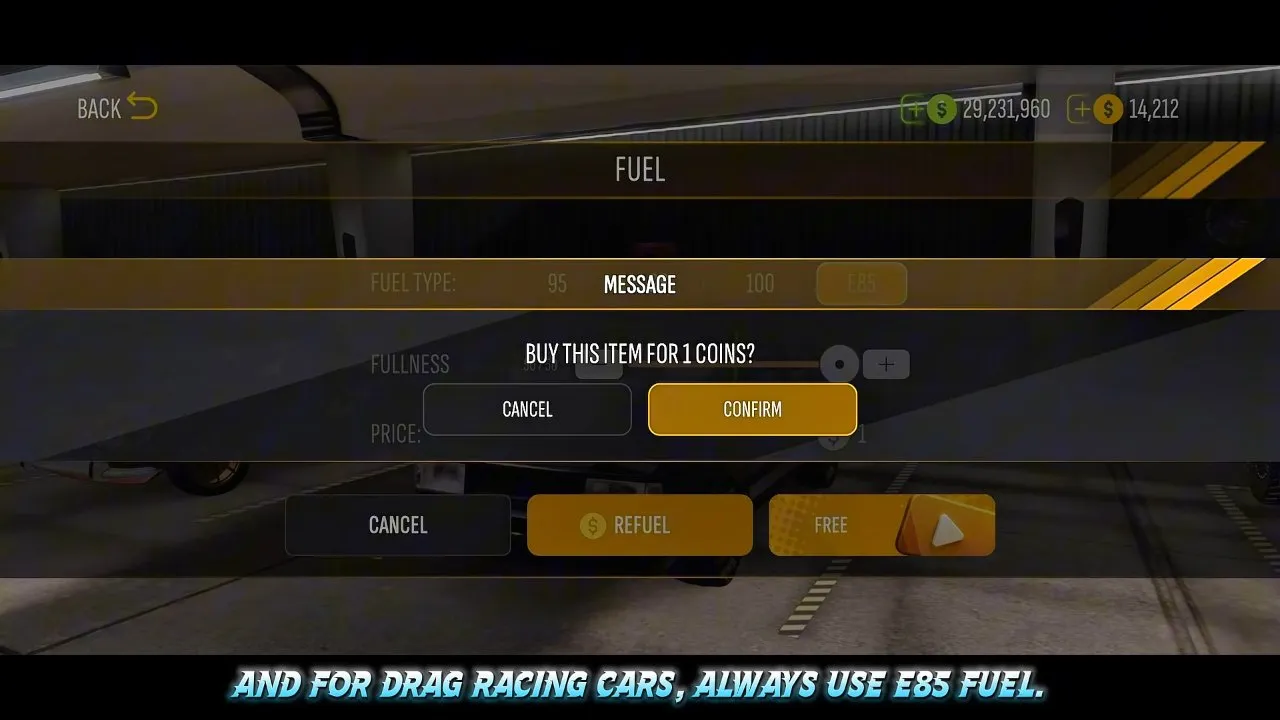
Open Fuel in the maintenance menu, select Refuel, then choose E85. The screenshot shows E85 highlighted behind the confirmation dialog. Check the fuel selection before confirming, and keep the recommendation tied to this drag car.
If you need coins for the refueling step, see cpm 2 how to get coins. For planning your remaining upgrade spending, use cpm 2 money.
Should you chase 3000 HP in CPM 2?
For racing this Kartal, keep dyno controls stock or raise them only slightly, following the player's recommendation instead of copying the maximum-power demonstration.
Stock or slightly raised controls: recommended for racing
The player says the completed car is already powerful enough for drag racing and recommends stock settings or small increases. Start there when your goal is a usable drag setup.
Maximum dyno controls: a wear tradeoff
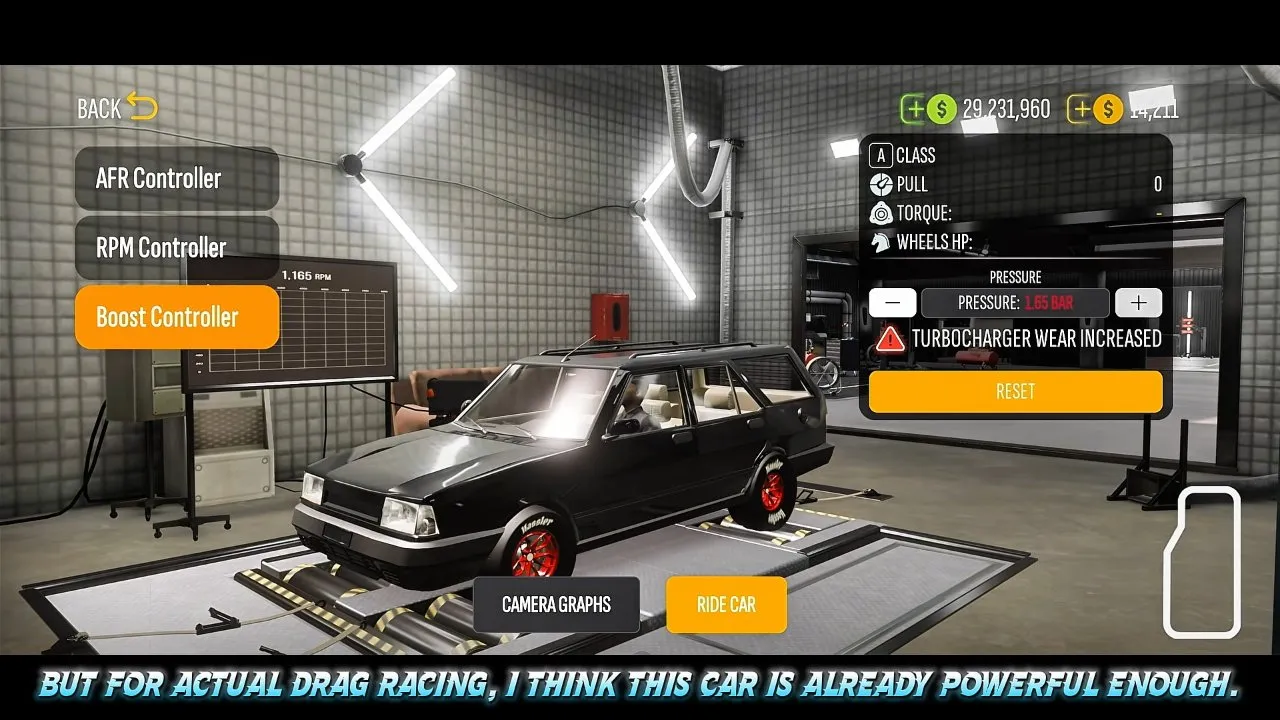
The demonstration raises the controls to show power on the dyno. At 1.65 bar, the Boost Controller displays TURBOCHARGER WEAR INCREASED. That warning is your signal that chasing the displayed power comes with extra wear. Back off instead of treating this setting as the race recommendation.
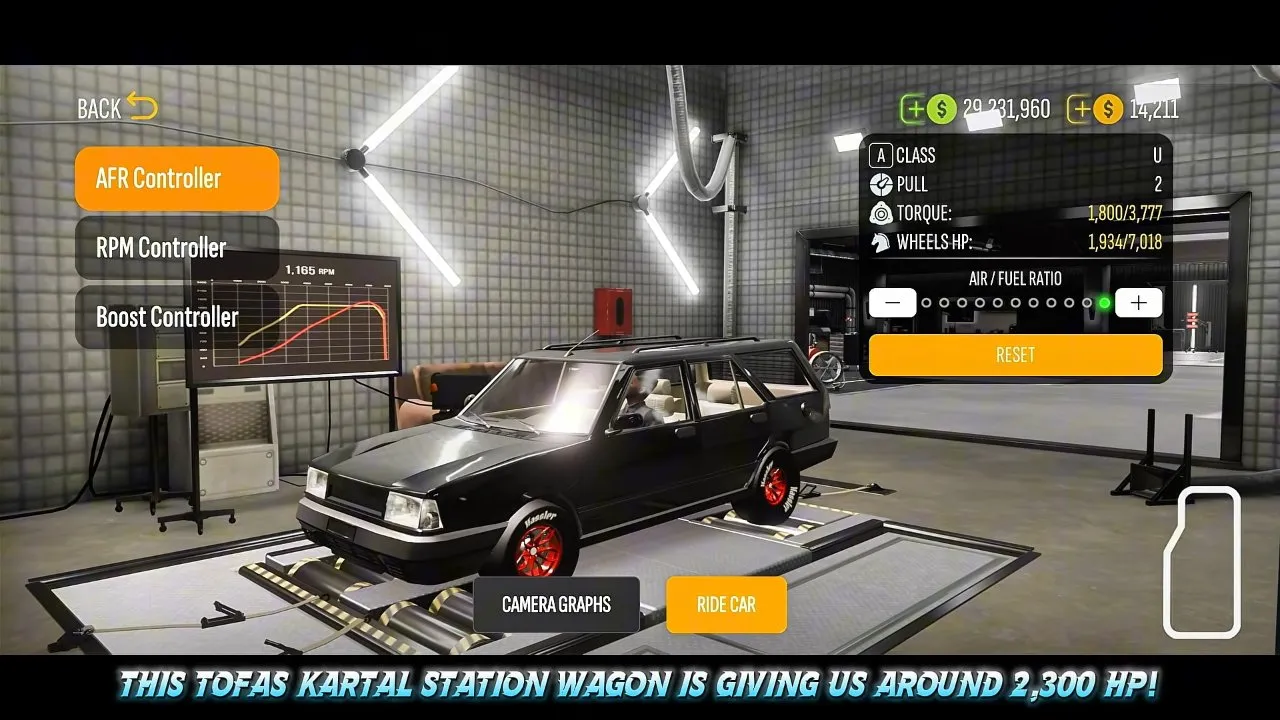
The big HP labels can look like a single final result, but read the labels and captions separately. This frame displays WHEELS HP: 1,934/7,018, while the player caption claims around 2,300 HP. The video's title says 3000++. These are different statements, so use your own dyno display and race result to assess your build rather than treating the title as a guaranteed horsepower target.
Do not copy 1.65 bar just because it appears in the demonstration. The same screen explicitly warns of increased turbocharger wear, and the player recommends milder settings for actual racing.
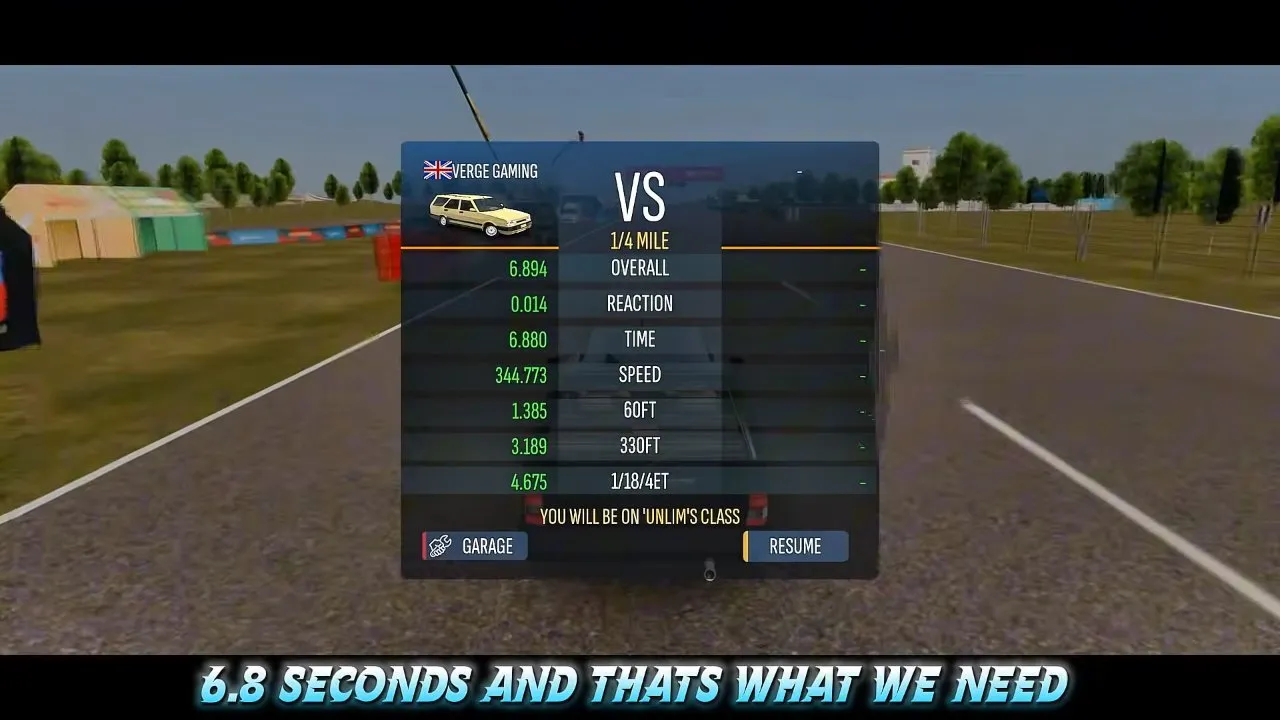
The shown run records 6.880 seconds under Time, 0.014 seconds under Reaction and 6.894 seconds under Overall. Compare the Time row when judging the quarter-mile run; Overall includes the reaction time. This is the demonstrated Kartal result, not a guaranteed time for your next race.
You now have a specific engine, drivetrain, suspension, tire and fuel setup to test. Check your saved settings, run the quarter mile and read the result labels. Once you are happy with performance, move on to cpm 2 color code for the car's appearance.